Why does getting back to work feel so hard after an interruption?
Duration
8 Weeks
Team
Team Project (2 Designers)
Role
UX/UI Design, User Research, Prototyping, Usability Test
Tools
Figma, Figjam,
Figma Make, Stitch
Problem
The real problem was not the interruption itself, but returning after it.
When work was interrupted, users had to recall their previous context and decide where to restart. This repeated re-entry process took time and mental energy.
Strategy
Not productivity management, but guided context recovery.
Flowback helps users return to work without retracing their steps, by focusing on context recovery rather than productivity management.
Impact
Flowback turned a vague return moment into a clear starting point.
By helping users recover context faster, Flowback shows the potential to reduce repeated context-switching costs in fast-moving teams.
Have you ever been interrupted while working?
You return to your screen, but you have to rebuild the context before you can continue.
DESIGN CHALLENGE
How might we help usersquicklyrecover context andresume work after interruptions?
AFTER SHORT INTERRUPTION
Did you forget where you left off after a short break?
Flowback brings users back to the last active page and shows the last cursor position, so they know exactly where to continue.
AFTER LONG INTERRUPTION
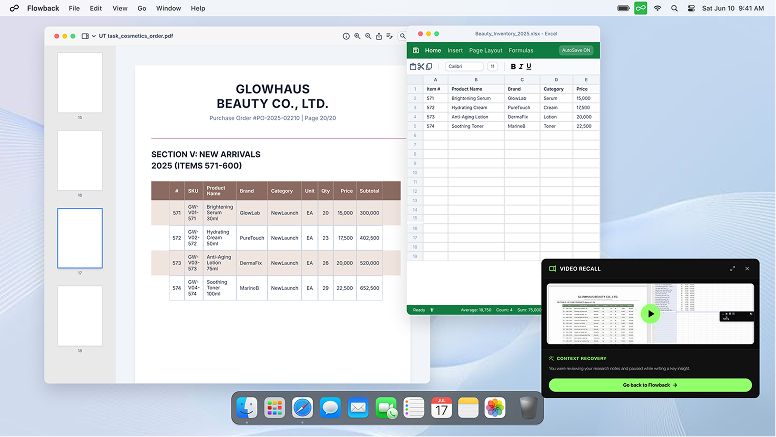
Back from a meeting and lost the thread?
Flowback shows a short replay of recent actions, helping users rebuild context before returning to work.
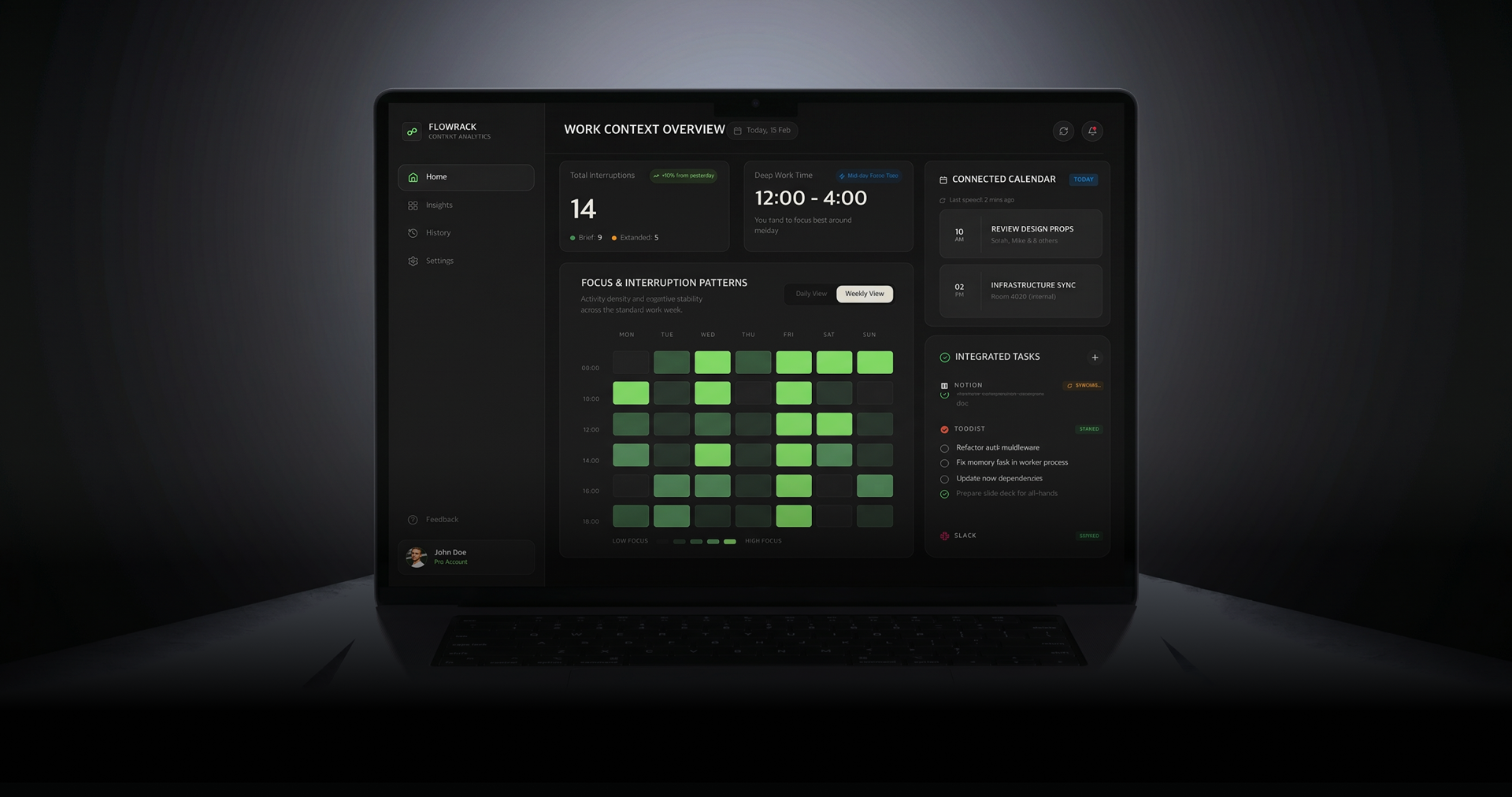
DASHBOARD INSIGHTS
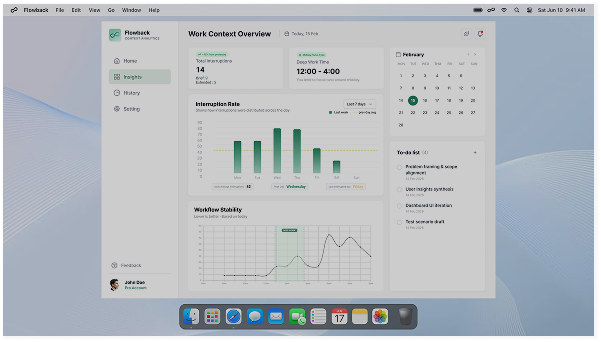
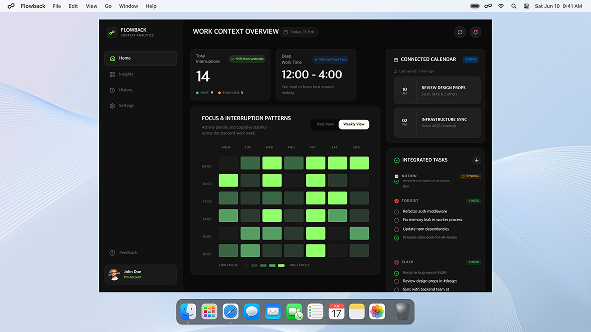
Want to understand your work pattern at a glance?
Flowback visualises focus and interruption patterns, helping users recognise their work rhythm and decide which moments need better protection.
ONBOARDING
Set your own recovery preferences
Users can set the time threshold and choose which apps Flowback can capture, keeping recovery support under their control.
LITERATURE REVIEW
The problem with work environments that constantly force task switching
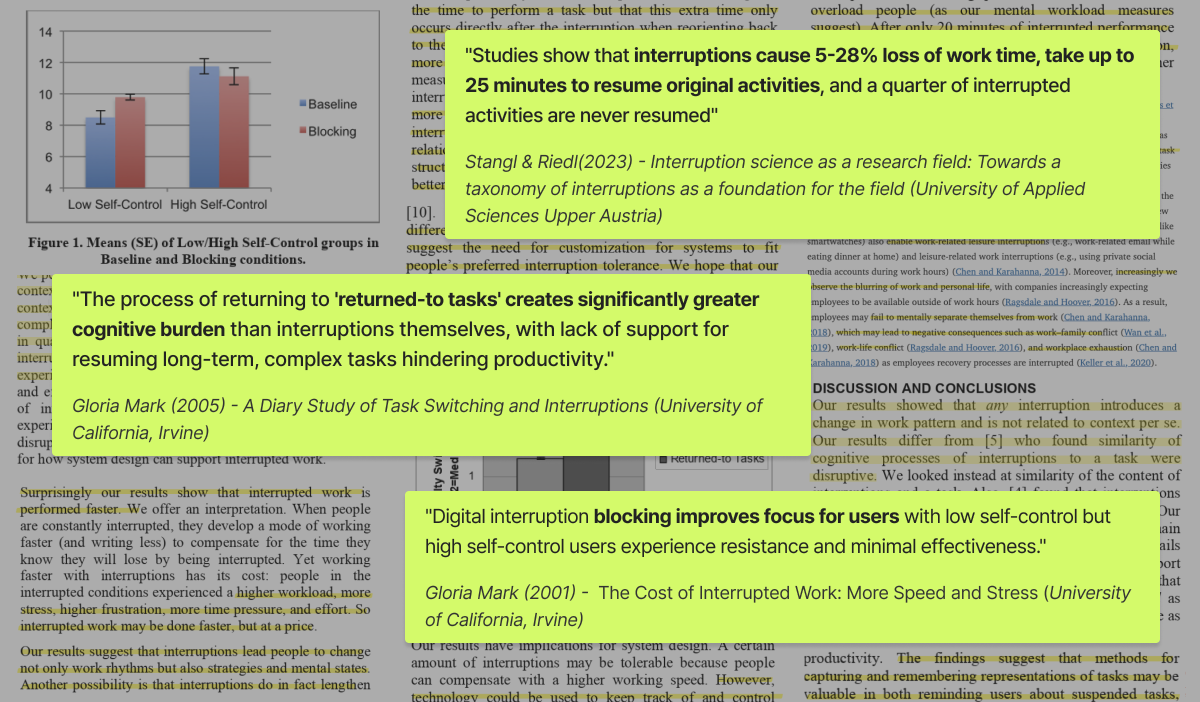
I reviewed 7 articles on interruption and resumption. Found that the main burden comes from restarting work, not from the interruption itself, and that support should adapt to different users.
Insight from Literature review
01.
Interruptionslead to real work-time loss.
02.
Interrupted work is not quickly resumed, and some tasks are never resumed.
03.
The bigger burden comes from returning, not from the interruption itself.
04.
Interruption-blocking does not work the same way for everyone.
IN-DEPTH INTERVIEWS
How we conducted the in-depth interview?
We conducted 1:1 in-depth interviews with 5 users. we selected users who frequently switch tasks and included people from different job backgrounds to better understand a wide range of real work contexts.
Interview Session with Participant 5
Interview Questions • Information Sheet
WHAT RETURNING TO WORK REALLY FEELS LIKE
Different jobs revealed the same return-to-work burden
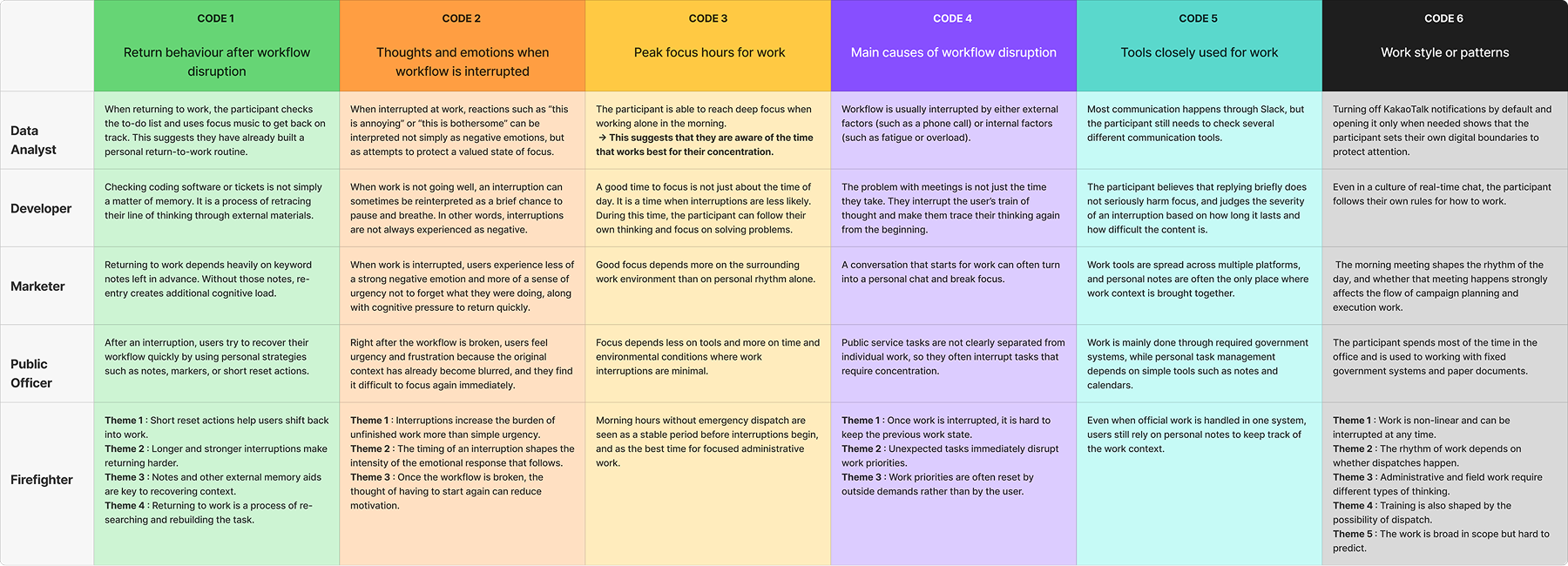
Although participants worked in different environments, the same pattern appeared; after an interruption, users had to retrace memory, rebuild direction, or regain focus before they could continue.
WHERE USER EXPERIENCES STARTED TO OVERLAP | THEMATIC ANALYSIS
Cross-Validated Patterns from User Interviews
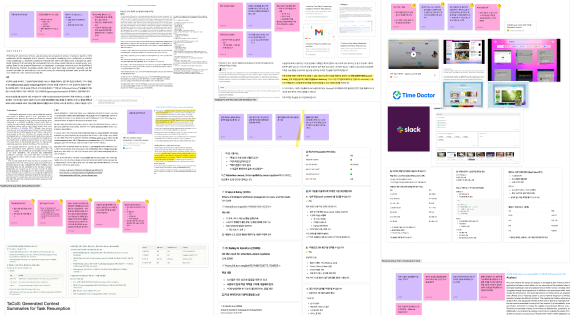
We used colour-coding and Thematic Analysis to find patterns across different work environments, identifying 6 codes and 8 themes. These findings were cross-checked with literature research to confirm the key pain points.
Key Themes We Scoped
01.
User’s emotional reactions change depending on when the interruption happens.
02.
People based interruptionsbreak cognitive flow.
03.
External interruptions reset work priorities.
COMPETITIVE ANALYSIS
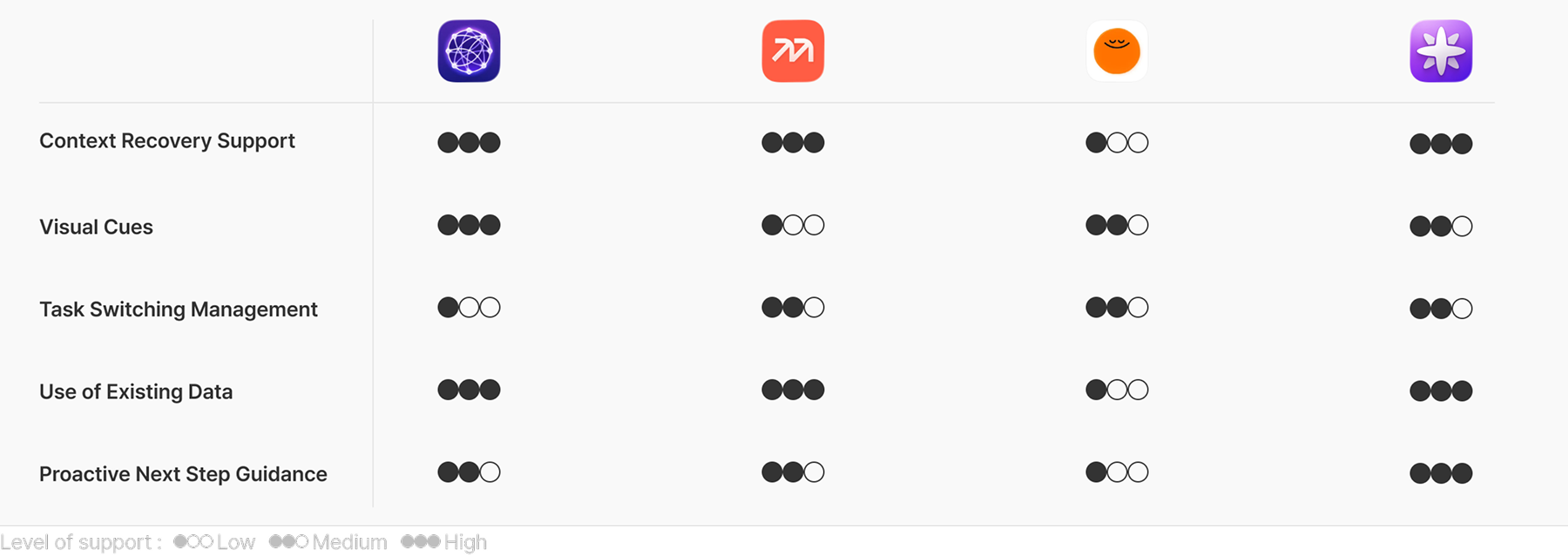
Market Limitation from a Re-entry Experience Perspective
Competitor research showed that existing tools focused on managing productivity, but did not directly support users in recovering context and restarting after interruptions.
What Existing Tools Still Miss
01.
Existing tools recover records, but not re-entry.
02.
AI organises information, but does not guide immediate restart.
03.
Emotional reliefhelps users calm down, but not resume context.
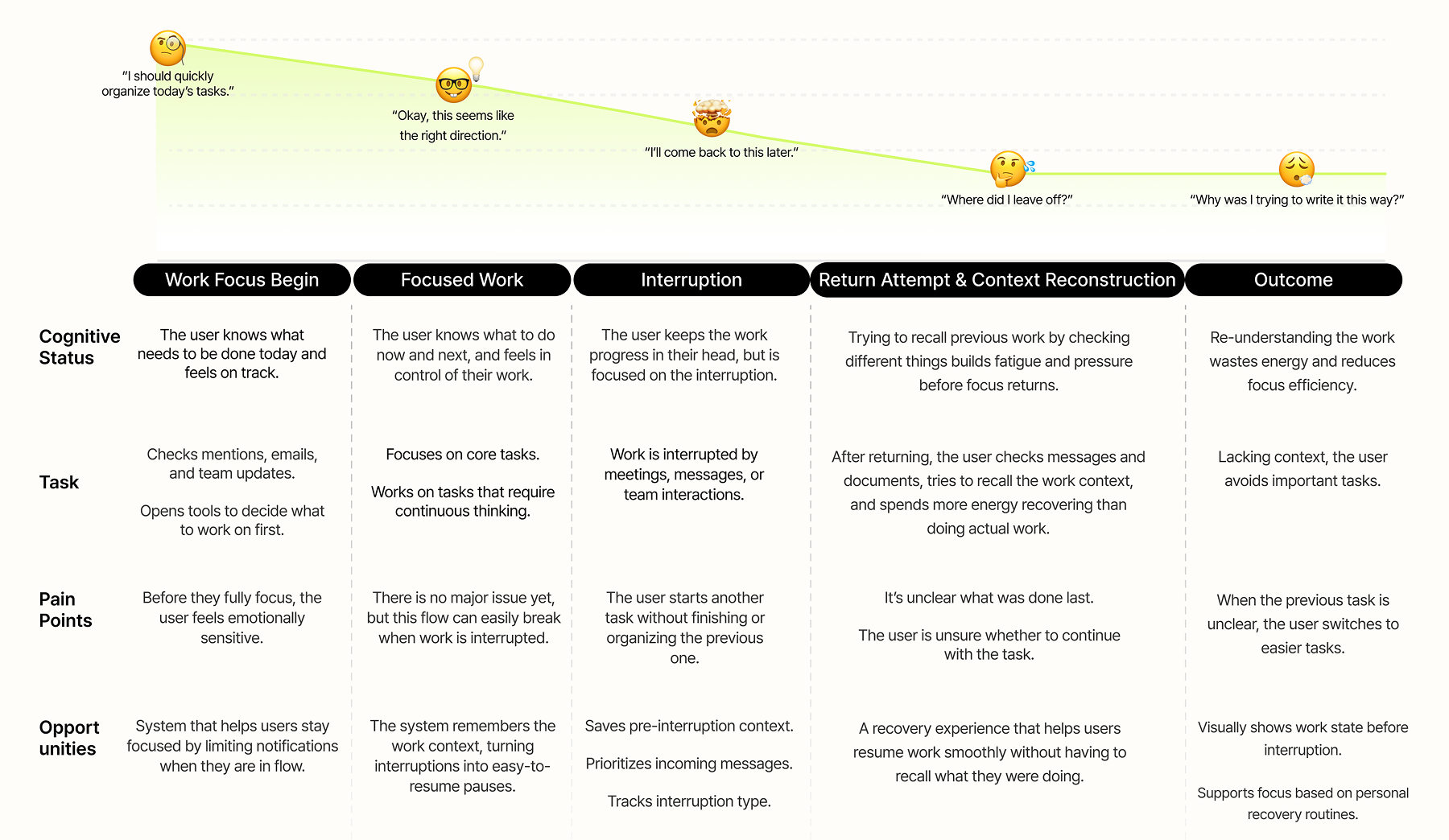
PERSONA & USER JOURNEY MAP
The Challenge of Re-entry
Based on interview patterns, I defined a primary persona and mapped their workflow to identify where the return-to-work burden became most visible.
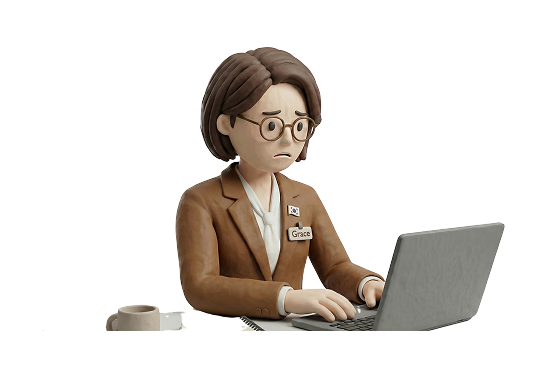
Grace
(32)
| Senior Product Manager
What’s Persona Story?
Grace starts her day by reviewing email, Slack, and her calendar. She values quick responses, but after back-to-back meetings, she often feels rushed and needs time to recall where she left off.
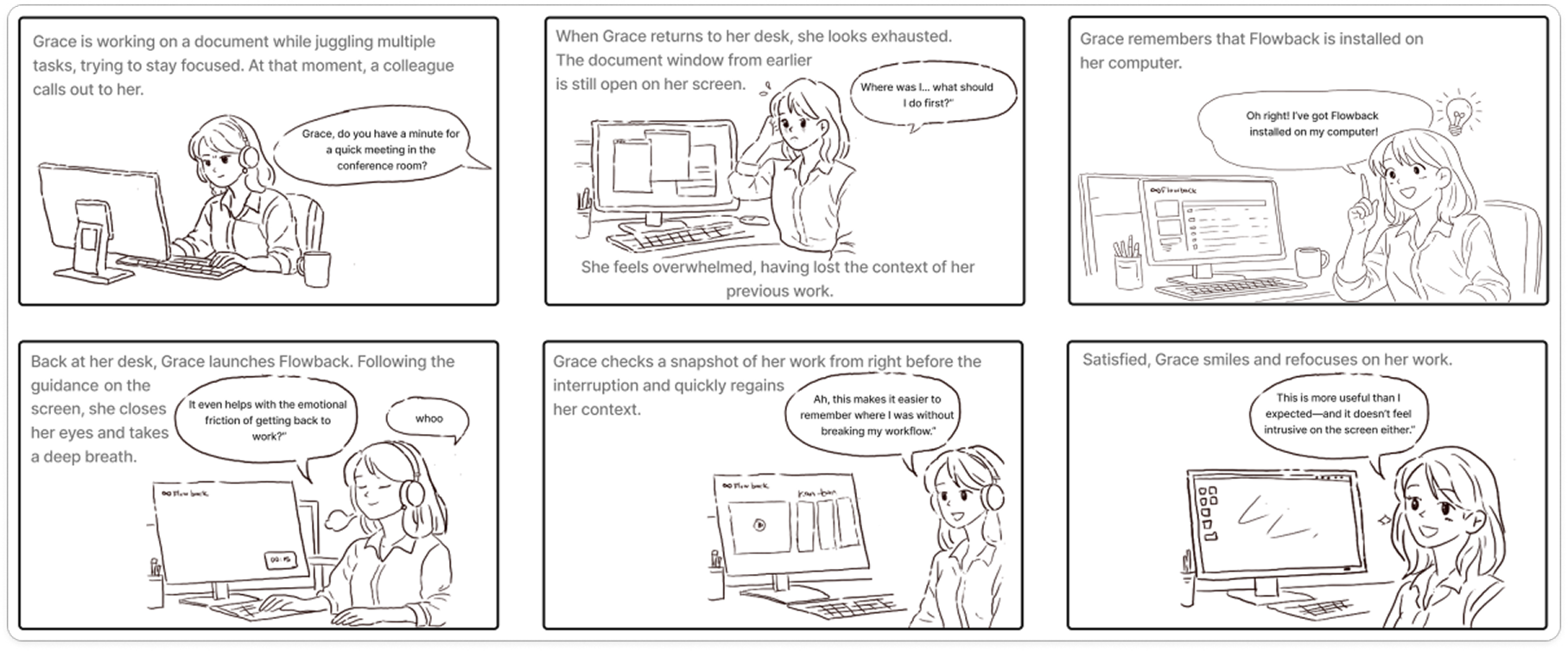
STORYBOARD
Visualising the Return to Work Experience
This storyboard shows how users feel after an interruption and how FLOWBACK improves the return to work experience. It helps explain the product’s value in a real work context.
SKETCH SOLUTION & TECHNICAL VALIDATION
From Design Question to Product Direction
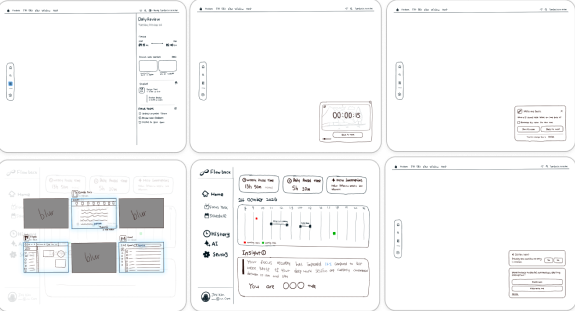
I sketched solution ideas, narrowed them through the DVF framework, and checked whether they could work technically.
Sketch Solution
Technical Validations
USER FLOW & ALGORITHM
How FLOWBACK Responds to Interruption
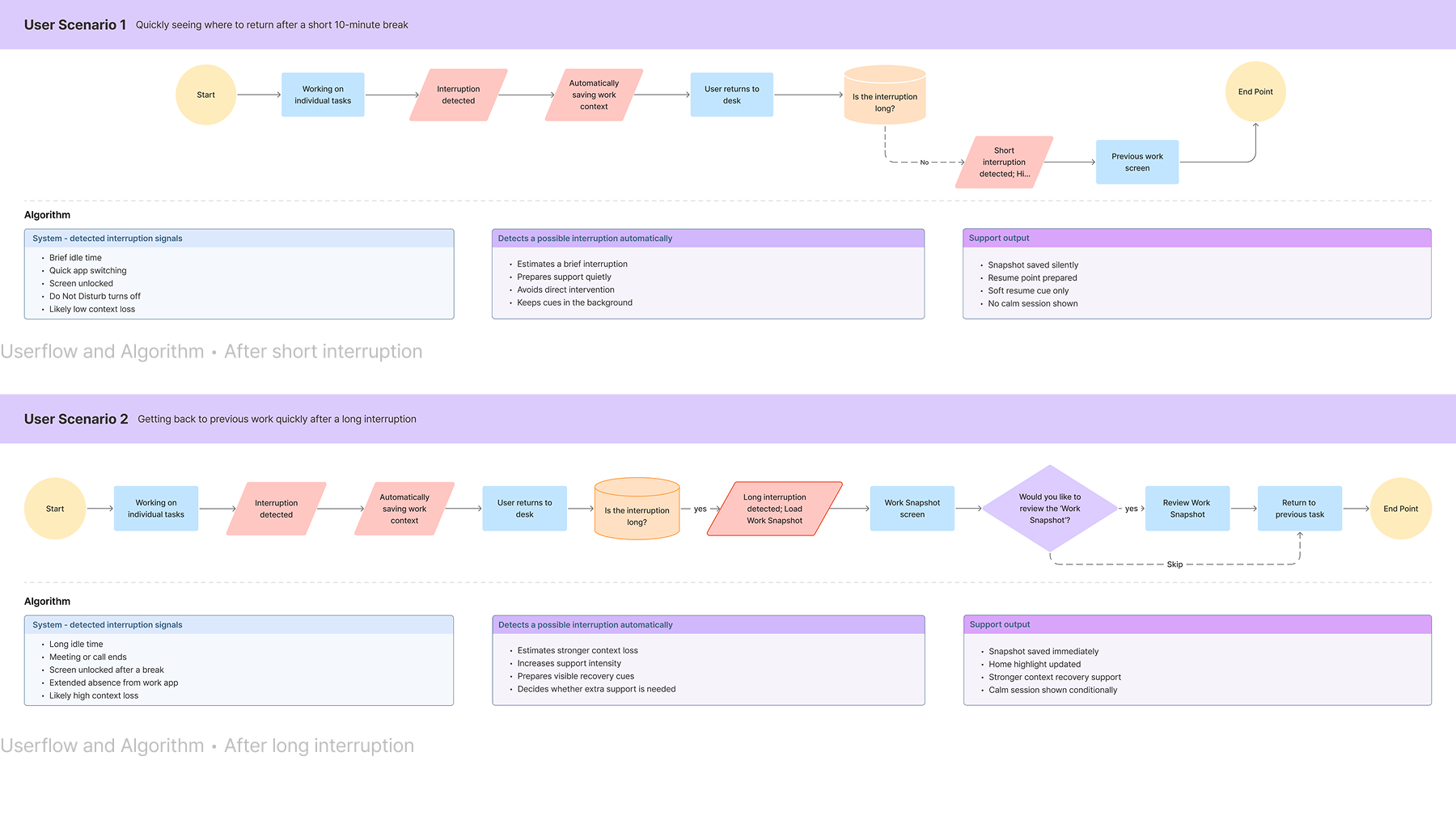
I designed an adaptive flow that provides different levels of support based on interruption length, helping users recover context and resume work more naturally.
DESIGN PRINCICPLE
How the Direction Was Defined
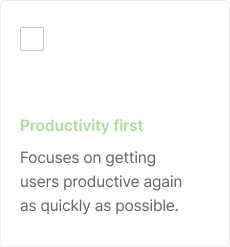
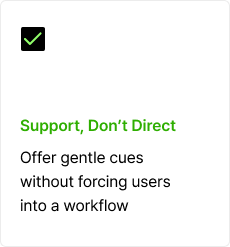
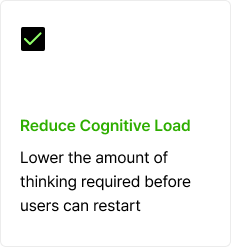
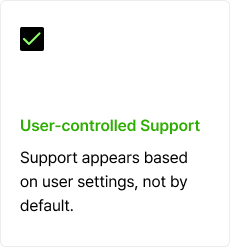
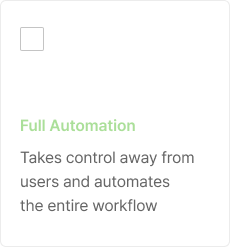
Based on the re-entry algorithm and user research, We selected the principle that guide how Flowback supports users after an interruptions.
USABILITY TESTING
Does Flowback improve work re-entry?
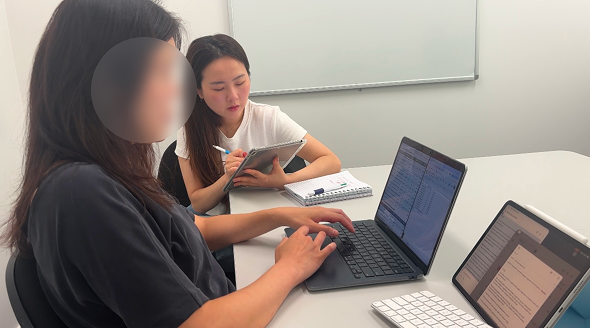
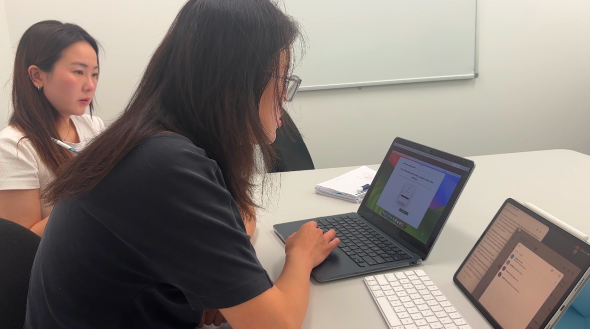
Validated Flowback with a timed interruption experiment that measured how quickly users recovered context and resumed work.
Participant 3: Inducing high cognitive load (Baseline test without Flowback)
Participant 3: Testing recovery flow with Flowback assistance
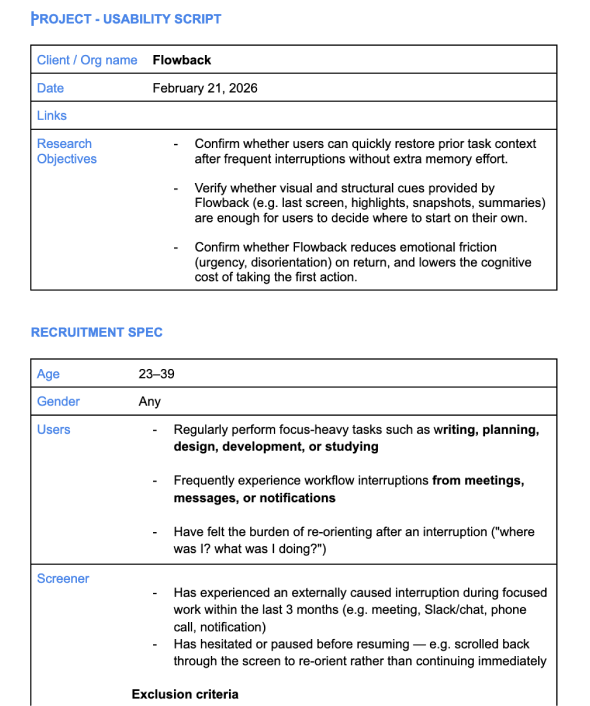
Usability Script
DESIGN ITERATION
What Changed After Testing
The prototype scored 81/100 on SUS, showing strong overall usability. Testing also showed that the recovery experience could be improved with clearer visual cues, fewer extra steps, and simpler recovery data.
AS-IS
ASSUMPTION
Users wanted a quick view of how interruptions affected their focus and recovery, but testing showed the dashboard was hard to scan.
TO-BE
DESIGN DECISION
Simplified the dashboard into one clear focus pattern view, using colour and hover details to make interruption data easier to understand.
AS-IS
ASSUMPTION
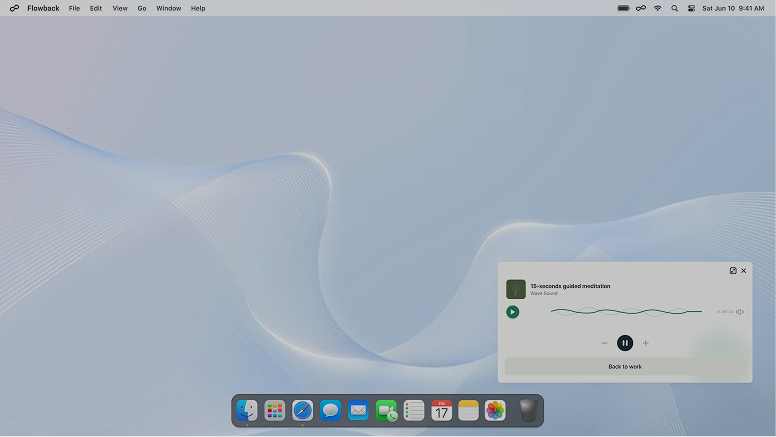
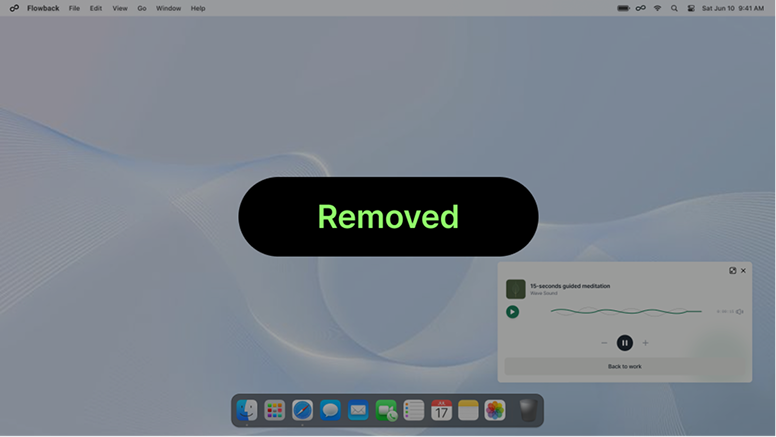
Users said returning to work felt overwhelming, so we added Calm Breathing. But during testing, users often skipped it because it felt less important than getting back to work.
TO-BE
DESIGN DECISION
Removed Calm Breathing because users felt meditation worked better as a separate app, not as a step during work.
AS-IS
ASSUMPTION
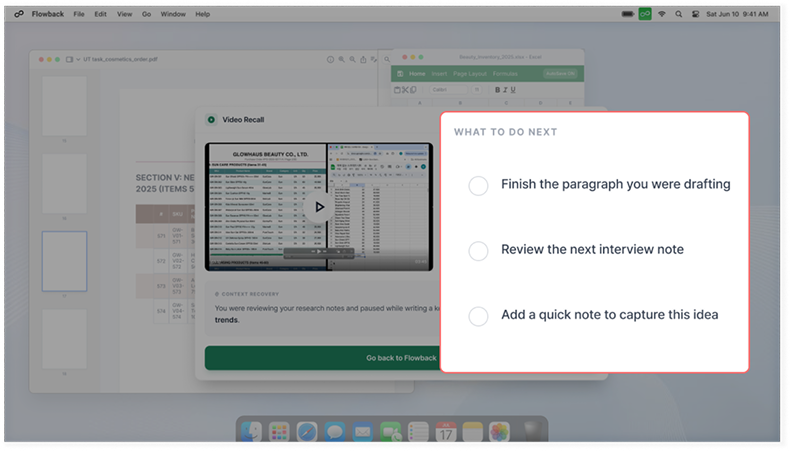
Users often wrote notes about what they were working on before stepping away, so we added next-step prompts to help them resume.
TO-BE
DESIGN DECISION
Users did not trust the prompts, so we showed visual cues instead: last cursor position, active area, and recent context.
Takeaway & Reflection
Why 'Work Resumption' Matters?
Shifting Focus from Task Management to High-Impact Work Resumption
While most tools focus on tasks, I focused on the hidden cost of re-entry after interruptions. For users, it reduces the mental stress of restarting work. For companies, it improves productivity and creates business value.
NEXT STEP
Test Flowback in Agile Work Environments
The current test validated Flowback in a controlled task. Next, I would test it in agile work environments with frequent meetings, messages, and task switching to measure cue usage, return-to-work speed, and repeated recovery effort.
What Did Users Truly Need for Recovery?
The Best Support Was Faster Re-Entry, Not More Guidance, Removing Friction Helped Users Restart Their Work
I learned that decisively removing features that clash with user mental models is the most effective way to enhance a product's core value.







.svg)